 LlamaTree
Git and diffs
The side panel shows the selected session's repository, laid out like Visual Studio: Git Changes for what's in the working tree, Git Repository for history. Diffs open in tabs beside the terminal and refresh as the agent edits.
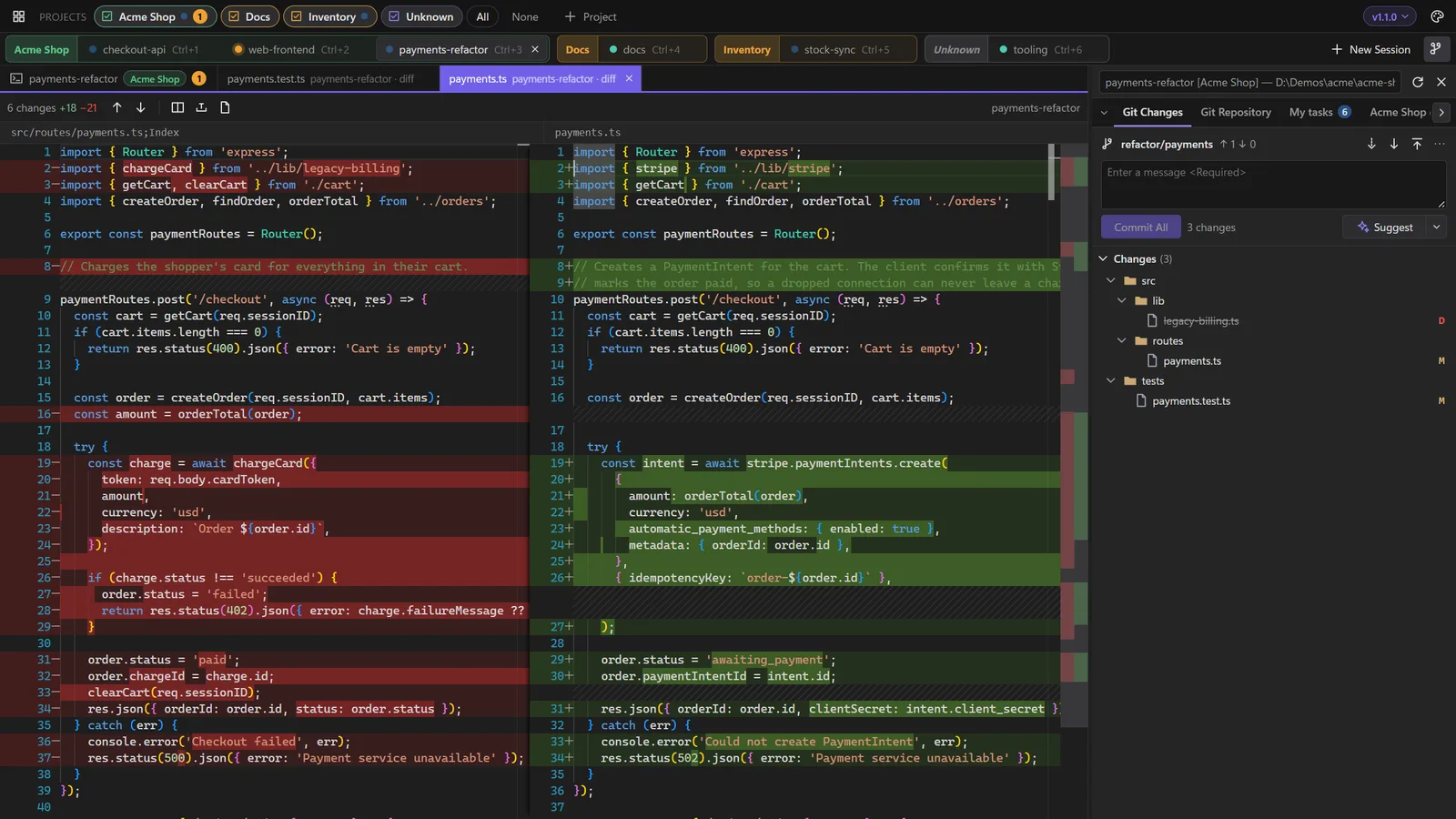
Git Changes
- Staged and unstaged trees, with stage and unstage on each file or folder.
- Commit what's staged, or everything when nothing is.
- Undo Changes (right-click a file or folder, or ↶ on a section): new files go to the Recycle Bin or Trash. It refuses rather than guesses if files changed after you confirmed.
- Right-click a folder to open it in your file manager.
Diffs
Click any file for a side-by-side diff (Monaco, with Visual Studio-style colours). A single click opens a reusable preview tab; double-click keeps it open. Open diffs refresh as the session edits the file. Alt+↑/↓ jumps between changes.
Drag a diff tab towards an edge of the terminal area to show it beside the terminal, so you can watch the agent's output and its changes at once.
Suggest
Suggest, beside Commit, writes the commit message for what Commit would take, in the style of the repository's recent commits. Ctrl+Z brings back what was in the box. The ▾ beside it sets the length: Short, Standard or Detailed.
It runs the session's own agent headless with your own sign-in, sending it the diff: Claude Code as claude -p (Haiku, no tools, not saved as a conversation), Codex as codex exec (read-only, low reasoning, not saved). It uses a little of that agent's plan.
Fetch, pull and push
They sit on the Git panel's toolbar next to the branch and its outgoing and incoming counts.
- Pull only fast-forwards. It never creates a merge commit or leaves conflicts in a worktree an agent may be editing.
- Push never forces. A branch with no upstream is published to
originand tracked. - Each waits up to five minutes, long enough to sign in through Git Credential Manager.
Branches
Click the branch name on the Git toolbar, or in Git Changes' status bar, for the branch picker: filter as you type, with Locals and Remotes tabs. Picking a remote branch switches to its local branch, creating one that tracks it if needed.
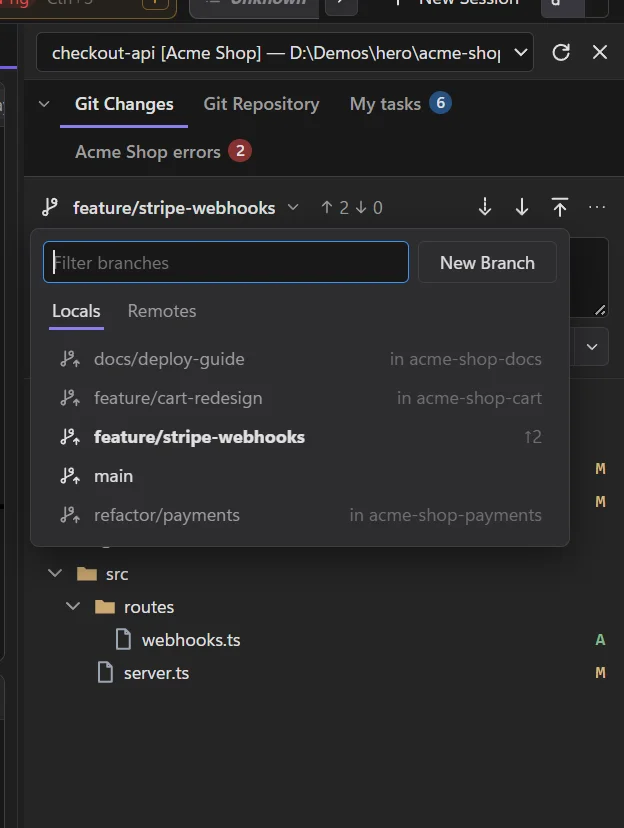
- New Branch (in the picker, the ⋯ menu, or a commit's right-click menu in Git Repository) takes a name and what to base it on, a branch or a commit, and can switch to it.
- Switching with uncommitted changes asks first: bring the changes with you, or stash them and continue. If the switch fails, the stash is put back.
- The status bar under Git Changes shows the outgoing and incoming counts (click for Git Repository), the number of changed files and the branch.
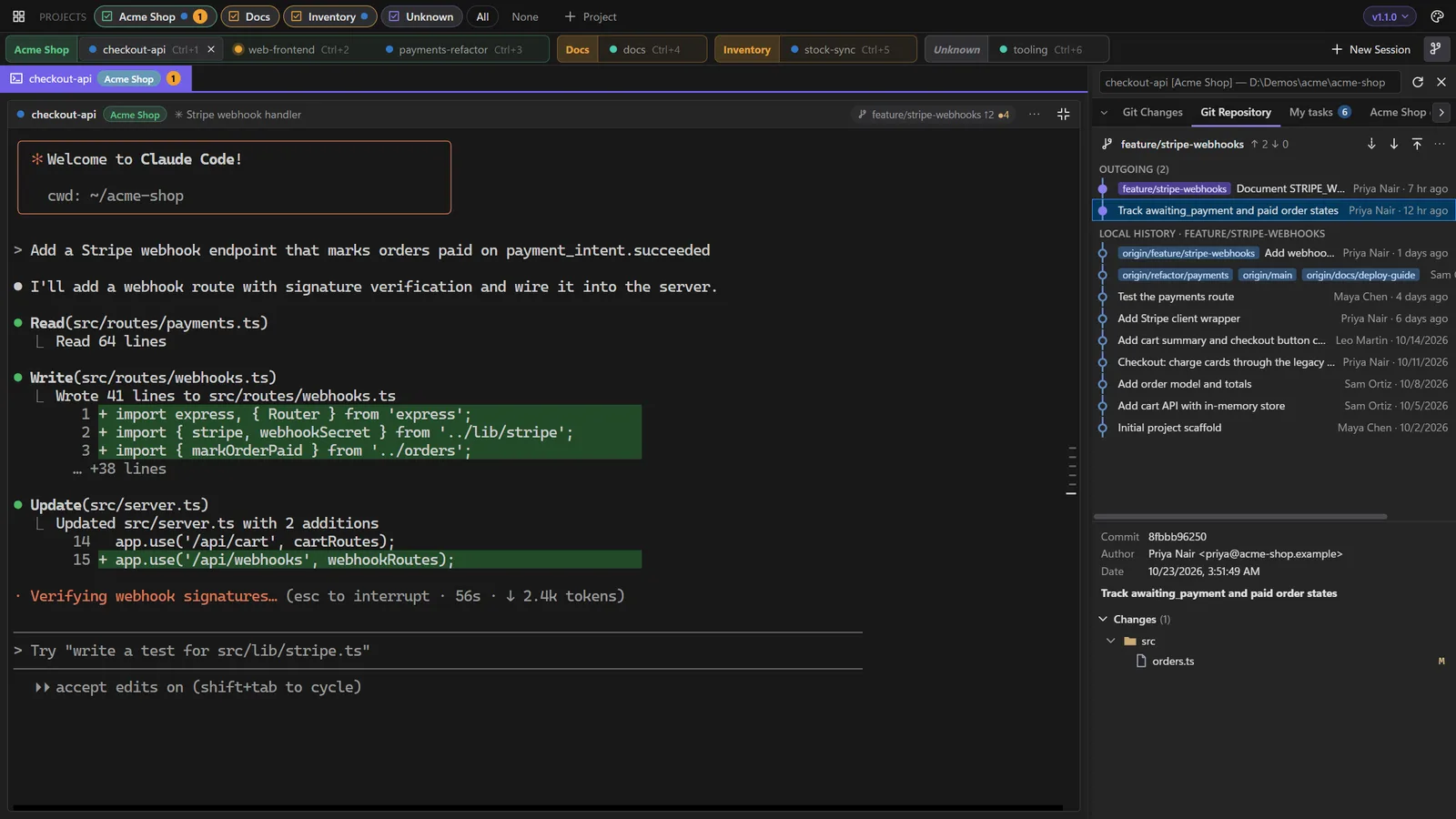
Git Repository
Outgoing commits and history, with each commit's files. Click a file for that commit's diff.
Pull requests
When the branch has an open pull request on GitHub or Azure DevOps, a PR ▾ chip appears beside it, with Open in Browser, View Pull Requests and New Pull Request. LlamaTree finds it with the credential Git Credential Manager already holds for the remote, sent only to that service over HTTPS. Without a stored credential there's simply no chip; it never opens a sign-in window.
Not using Git?
The ▾ beside the side panel button turns Git Changes and Git Repository on or off. With both off, the side panel holds only your agents' panels and stays out of the way until one opens.