 LlamaTree
Panels and messages
LlamaTree starts each Claude and Codex session with a small MCP server built into the app. Through it, agents can show you panels beside the terminal and send messages to each other.
Panels
A panel is a tab next to Git Changes that an agent fills: your task list, an error summary, a checklist. It holds Markdown, or a list of items with badges, links and buttons, optionally in groups.
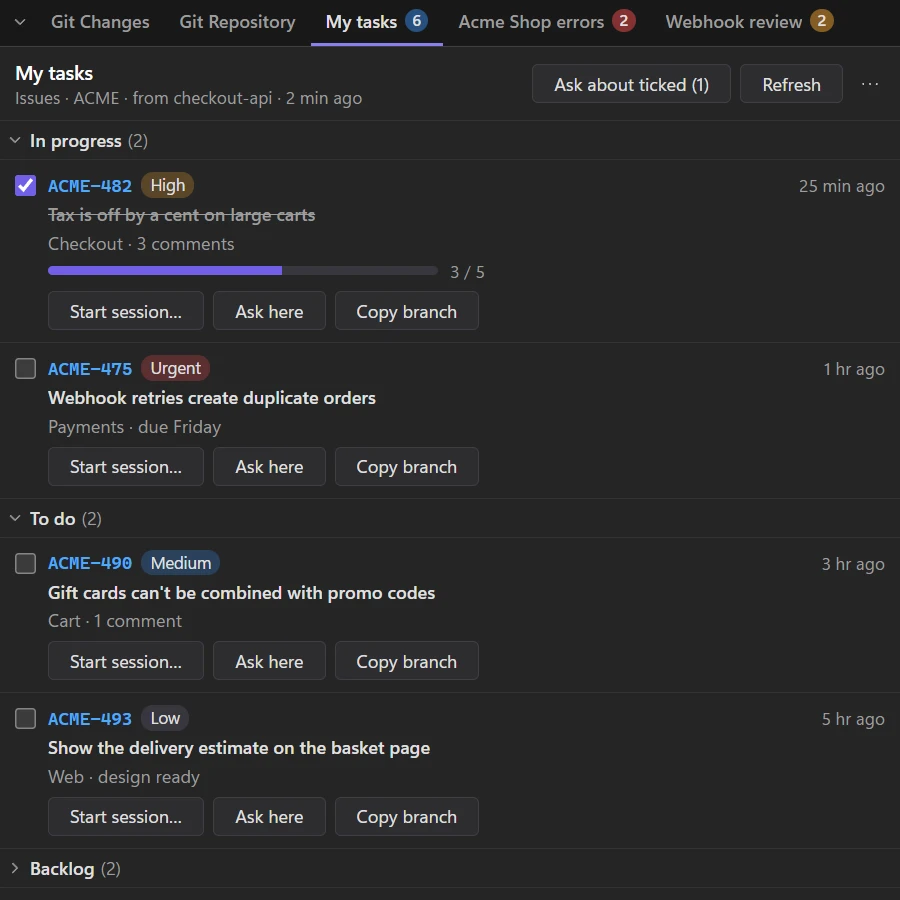
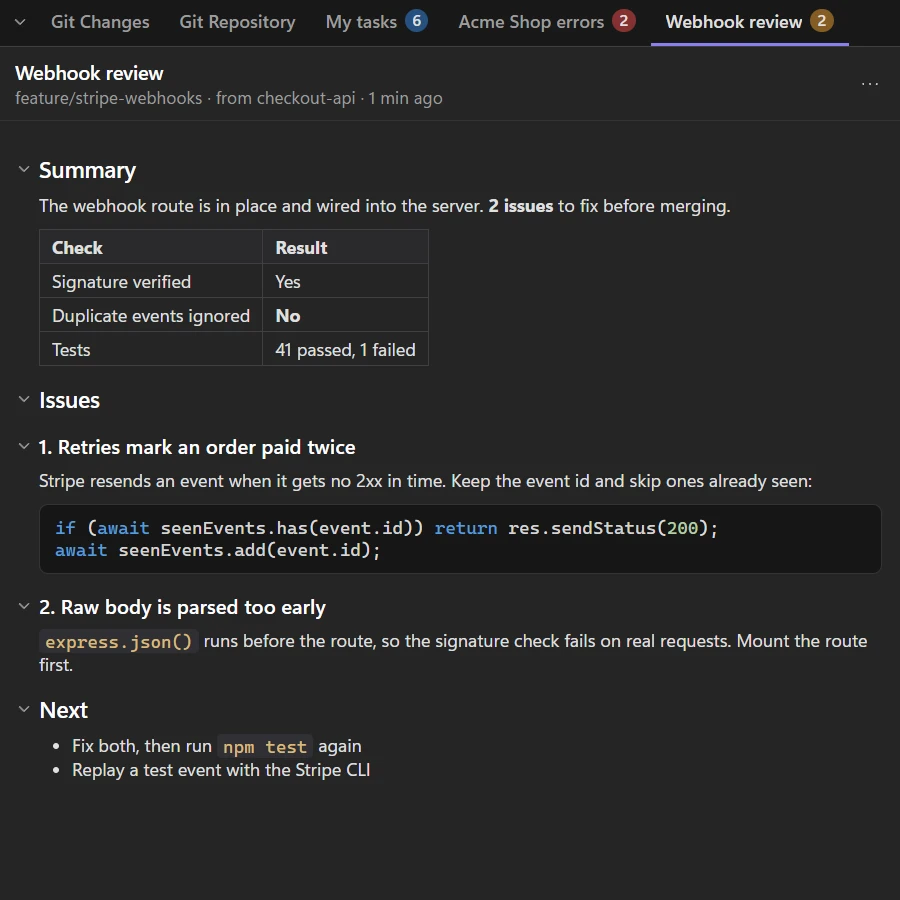
LlamaTree has no code for any tracker or service. Agents fill panels with whatever they can reach through your own MCP servers and skills, so a team can share a /my-tasks skill that reads their tracker and shows the result in a panel.
What a panel can hold
- a count on its tab, and figure tiles with trend arrows and small trend lines;
- items with live times ("4 min ago"), progress bars and badges;
- Details that open under an item, in Markdown, with code coloured by language;
- tick boxes, which are saved and which the agent can read back.
Everything is drawn by the app from plain data: agents never supply HTML, SVG or scripts.
Buttons never run anything
Here buttons type their prompt into the session you're looking at, for you to send. New buttons open New session with the folder, project and first prompt filled in. Refresh sends the panel's refresh prompt to the session that made it. Buttons can also copy text, such as a branch name.
Getting started
Right-click any side panel tab › Example panel skill… shows a ready-made /my-tasks skill (groups by status, ticks, Start session / Ask here / Copy branch buttons, Refresh). Save it as .claude/skills/my-tasks/SKILL.md and point it at your tracker's MCP tools.
Arranging the side panel
Drag tabs onto another group's tab row to move them, or onto the top or bottom half of a group to split it. Drag the dividers to resize, and fold a group down to its tabs with the chevron. A panel shows with the session that made it by default; its ⋯ menu can show it with every session of the project, or with every session. Panels stay until you close them, across restarts.
Messages between sessions
Ask an agent to "ask the api session what it changed in the parser", and it sends the question to that session and waits for the answer. Claude and Codex sessions can message each other too.
The tools agents get are list_sessions, send_message, wait_for_reply and read_messages.
You decide who may message whom
The first time a session messages one it has no rule for, LlamaTree asks you. Answer for this time only, or make a rule: for that pair of sessions, for any session in the project, or for any session. Rules go one way, and a session can always reply to a message it was sent, for an hour.
How messages arrive
- The sender is the session that called the tool, known from its own token, never a name it claims.
- A message reaches the other agent marked as from another agent, not from you, so it's weighed as a colleague's request rather than your prompt.
- When the receiving session is idle and you haven't typed into it for a few seconds, LlamaTree tells it it has a message. A session still waiting to start after a restart is started first. If the notice is left sitting unsent in Claude's prompt, LlamaTree presses Enter again.
Agents can also start and drive sessions of their own: see Helper sessions.
Limits
An exchange can run to 12 messages, so two agents allowed to answer each other can't go on forever. Messages are up to 8,000 characters, with at most 20 a minute from a session. Permissions › Pause messages stops all of it at once, and Permissions › Messages lists the latest 500.